
This FAQ answers common questions from bar and club operators evaluating ID scanning. It focuses on the practical side of running a venue. Legal and privacy requirements vary by jurisdiction and should be verified locally.
What apps do bars use to scan IDs?
There is no single app used by every bar.
Venues generally choose between dedicated scanning hardware, venue-focused phone and tablet applications, and manual ID checks. The right choice depends on the number of entrances, volume, operating environment, staff workflow, and the information the venue needs to manage.
IVO is an iOS option designed for venue use on iPhone and iPad, with ID verification, additional verification modes, Team Sync, bans, visitor tracking, and scan history.
Do clubs scan IDs?
Many clubs use some form of ID checking for age-restricted entry or alcohol service, but the exact procedure varies.
Some venues scan every guest. Others use different procedures depending on the type of event or their internal policy.
The important question for an operator is not whether another club scans IDs. It is whether the venue’s own procedure is appropriate for its legal obligations, risk profile, and staffing model.
How do clubs scan IDs?
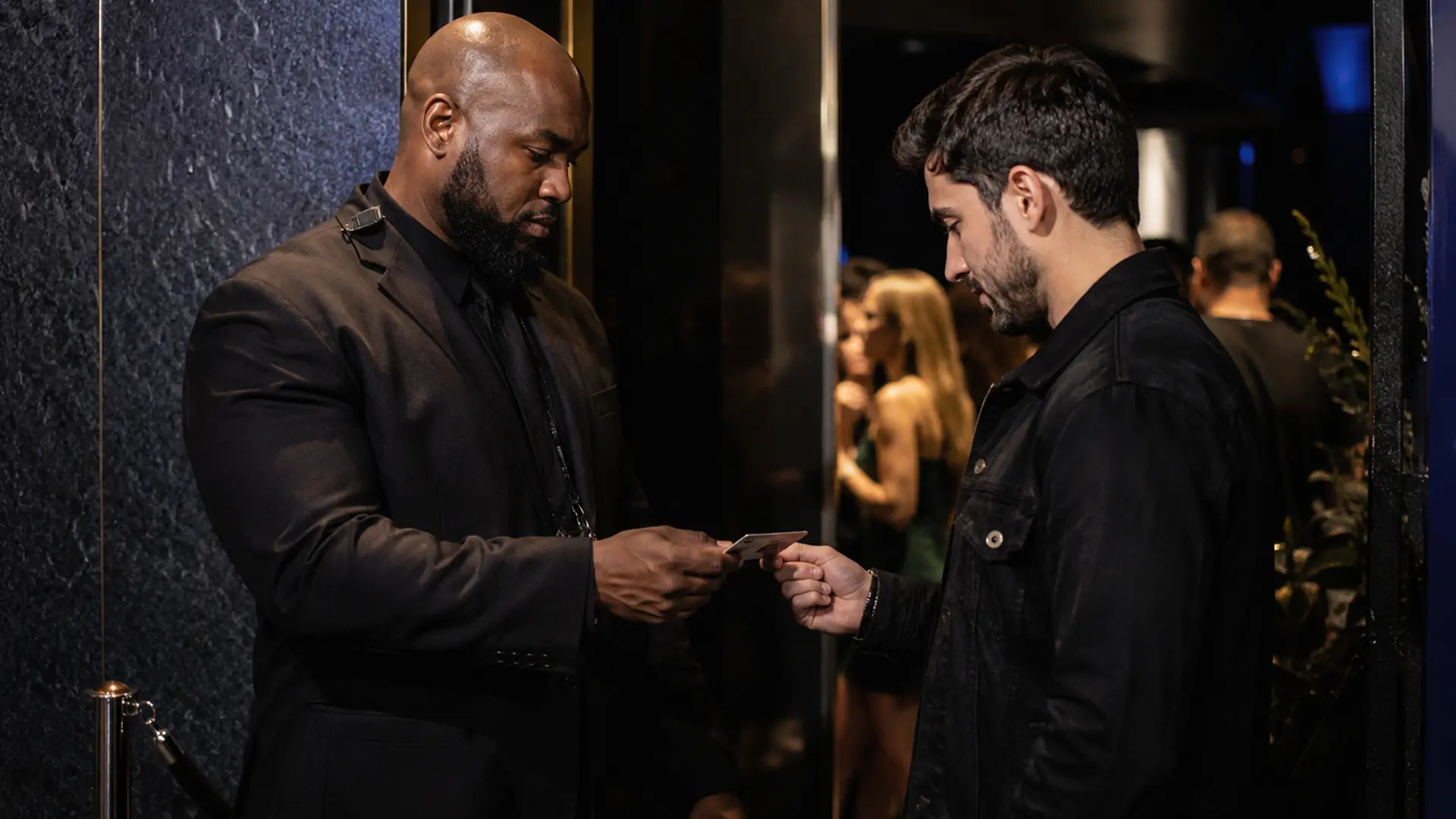
A typical digital workflow is:
- The guest presents an accepted ID.
- Staff scan the machine-readable portion or use another supported verification mode.
- The system returns an age, expiration, or verification result.
- Staff compare the guest with the ID and follow the venue’s policy.
- The guest is admitted, refused, or escalated to a manager.
Where a venue uses multiple entrances, the workflow can also include shared ban information and visitor tracking.
Do ID scanner apps work?
They can work very well for the tasks they are designed to perform, particularly structured age and expiration checks on supported documents.
They should not be treated as a guarantee that every counterfeit will be detected or that every person presenting an ID is the legitimate holder.
A valid document can be borrowed. A sophisticated counterfeit can contain plausible data. Staff judgment therefore remains part of the process.
Can our venue legally scan IDs?
This is a jurisdiction-specific question.
A venue needs to consider not only whether scanning is permitted, but also what information it collects, whether it stores that information, how long it keeps it, who can access it, and whether notices or other requirements apply.
Do not rely on a generic internet statement that ID scanning is “legal everywhere” or “illegal everywhere.” Review the rules applicable to your location with qualified counsel or the relevant authority.
What do clubs see when they scan an ID?
The result depends on the application.
A venue system may show information relevant to the admission decision, such as age eligibility, expiration status, and a verification outcome. Some systems may expose more document data than others.
A good door interface should make the information staff actually need easy to understand without unnecessarily displaying unrelated personal information.
IVO uses clear result states such as Valid, Underage, Expired, and Invalid as part of its verification workflow.
Is a hardware scanner better than an iPhone app?
Neither is automatically better.
Dedicated hardware can be attractive when ruggedness and very high throughput are the main requirements. iPhone and iPad applications can be attractive when flexibility, deployment, and multi-device operation matter more.
Some venues can sensibly use both.
What makes a good multi-device ID scanning setup?
The important feature is not simply having several scanners. The devices need to support the venue’s workflow.
For a multi-door venue, that may mean shared bans, visitor information, and scan history. It should also be straightforward to add staff and configure devices before a shift.
IVO’s Team Sync is designed to connect multiple iPhones and iPads to the same venue operation.
Do we need a full venue app or just an age check?
That depends on what the venue actually needs.
A simple browser-based age check can be appropriate for occasional checks, demonstrations, or lightweight use.
A production door may need more: fake-ID verification layers, shared bans, visitor tracking, scan history, and multiple connected devices.
IVO provides a free browser-based Age Check as well as the full iOS app for broader venue workflows.
Does every staff member need a separate IVO subscription?
No. IVO’s venue model allows multiple staff devices to join the venue through Team Sync under the venue’s subscription rather than requiring each employee to purchase a separate subscription.
Confirm the current subscription and device terms before publishing, since commercial terms can change.
How do staff join Team Sync?
The venue owner provides the joining method from the app. Staff install IVO on a supported iPhone or iPad, sign in using the supported account options, and join the venue.
Set this up before the doors open. A joining problem is much easier to solve before the queue forms.
Does IVO work on Android?
No. IVO is currently an iOS-only product for iPhone and iPad.
A venue that requires Android devices should evaluate a product that supports that platform.
Does scanning guarantee that we pass an inspection or avoid liability?
No.
Scanning can support a consistent venue procedure, but it does not transfer the venue’s legal responsibilities to the software provider or guarantee a particular regulatory outcome.
The venue remains responsible for following applicable laws, licensing requirements, and its own policies.
What should a venue decide before deploying ID scanning?
Start with the workflow rather than the app.
Decide which IDs the venue accepts, who is responsible for the final decision, when managers should be called, how bans are handled, what information is stored, and how multiple entrances communicate.
Then test the technology with real staff before relying on it during a busy service.
Where should we start?
If you are evaluating an id scanner for bars, start with the main guide: ID Scanner for Bars and Clubs: A Practical Guide for Venue Operators.
From there, use the supporting articles for the specific problem you are trying to solve: fake-ID screening, age verification, multi-device synchronization, ban management, iPhone scanning, or driver’s-license scanning.
The right scanning system is the one that supports the way your venue actually operates without promising more than the technology can deliver.